Transforming Spreadsheet-Based Processes
Turn Your Spreadsheet into an Enterprise Grade Solution
Stress-Free, Error-Free Data – Make data headaches a thing of the past with smart validations that catch errors at every step, ensuring accuracy and completeness. No more guessing games—just stress-free, reliable data.
Excel Made Effortless – Say goodbye to juggling endless messages and confusion in Excel. Collaborate directly in Excel and enjoy guided workflows that keep your team in sync, effortlessly.
Smarter Data Automation – Automate your data processing—no complex macros or IT rescue missions needed—with a rule library that keeps everything smooth and stress-free.


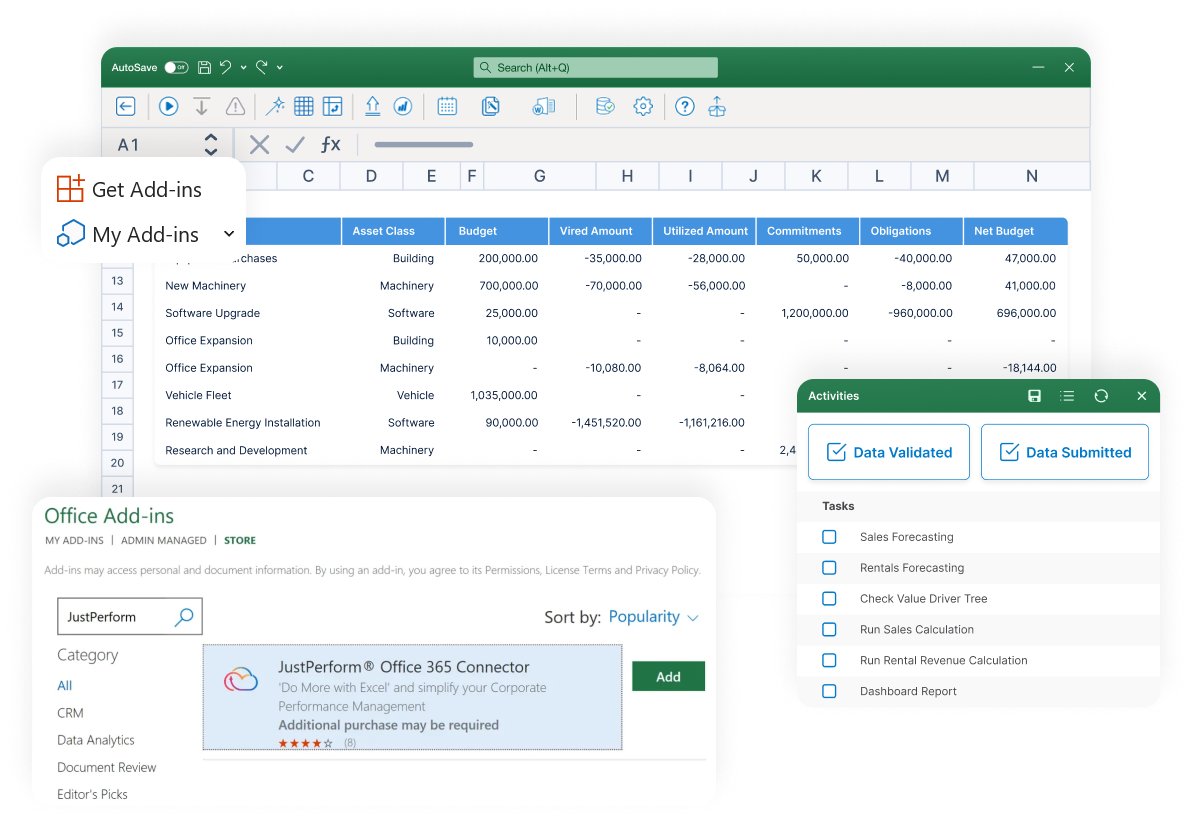
Give Your Excel-Based Processes a Boost!

Planning, Forecasting, and Financial Close
JustPerform puts business users in control of planning, closing, and reporting. Pick up any process in under 5 minutes. Roll out confidently, knowing everyone sees only what they need.
What’s Slowing Your Excel-Based Processes & Workflows Down?

Data Inaccuracy & Validation Issues
You know how frustrating it is when your Excel data’s a mess? One wrong number and you’re stuck wasting hours chasing down the mistake and fixing it. And if you’re making decisions based on bad info? That’s a disaster waiting to happen.

Collaboration Challenges
Managing processes in Excel is chaos—email chains, version issues, and no control over data access. Everyone sees everything, even what they shouldn’t. No tracking, no security, just manual mess. There’s a better way.

Manual & Complex Data Processing
Spending half your day wrangling formulas, trying to make VBA scripts work, or fixing broken macros is not fun. And when it all goes sideways, having to rely on someone else to fix it can feel like you’ve been left hanging.
Boost Performance, Ditch the Busywork
Accuracy Assurance With Built-in Data Validation
When your finance team often finds themselves struggling with incomplete or inaccurate data in Excel, they’re stuck digging through it to figure out what went wrong. It’s a huge waste of time that they could likely put to much better use. JustPerform is the solution you’ve been hoping for. It provides smart validations at every task level, checking your data as you go, so you don’t have to waste time double-checking everything. Which means that you can rest easy knowing everything is accurate and in order.
Get Instant DemoTime saved in data transformation
Reduction in financial close cycles
Faster return on investment

Streamlined Collaboration on Excel Projects
Ever had a project where everyone’s emailing Excel sheets back and forth, and it feels impossible to keep up? With JustPerform, you can work together right in Excel – no more back-and-forth hassle, confusion email chains, or commenting chaos. It has built-in tools that keep everyone on the same page, including guided workflows with detailed steps and activities for each and fine-grain authorizations to assign specific actions and track progress effortlessly.
JustPerform makes teamwork actually work!
Get Instant DemoTime saved in data transformation
Reduction in financial close cycles
Faster return on investment
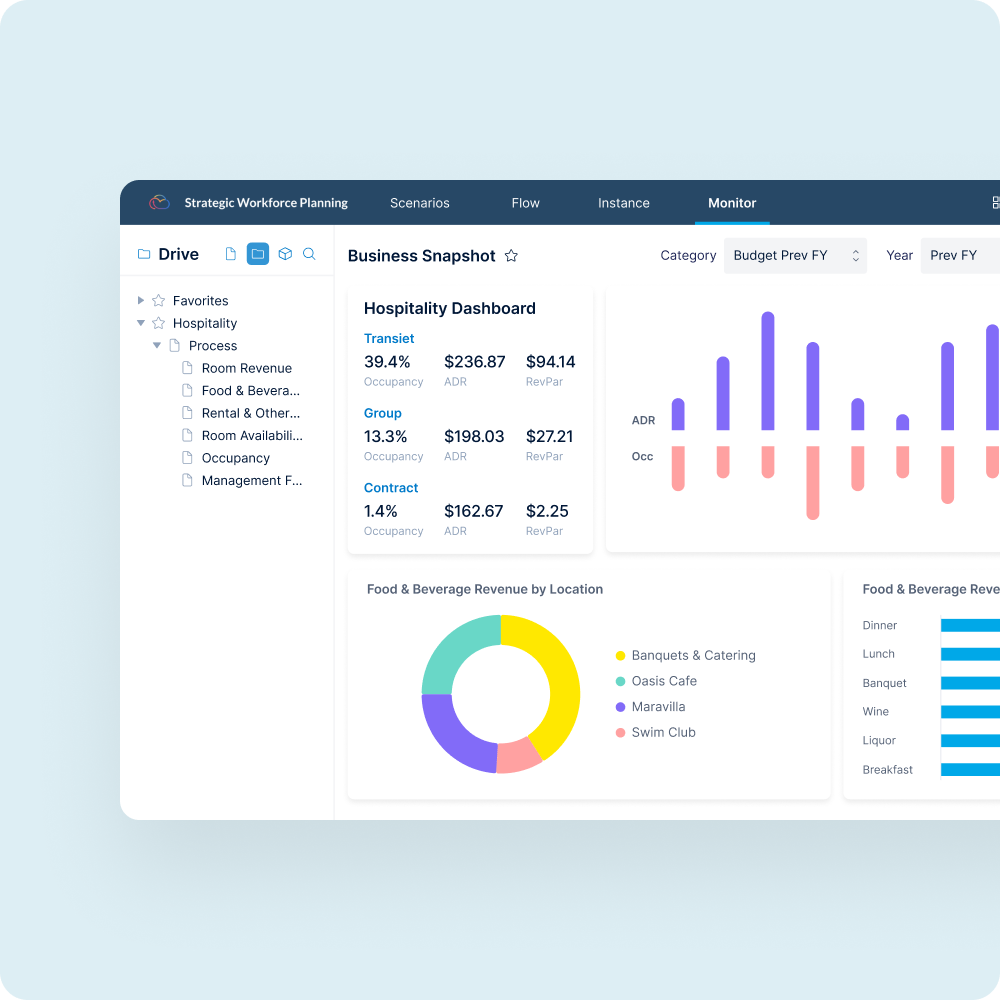
Automated Data Processing Without Coding
Tired of wrestling with complex formulas, macros, or VBA just to get your data to behave? JustPerform lets you skip all that. For teams overwhelmed by manual data processing or complex Excel functions like VBA and macros, JustPerform automates data transformation, and the Business Rule Library further simplifies things. Which means, you can clean up and process your data without needing outside help or spending hours trying to write code. Easy, right?
Get Instant DemoTime saved in data transformation
Reduction in financial close cycles
Faster return on investment
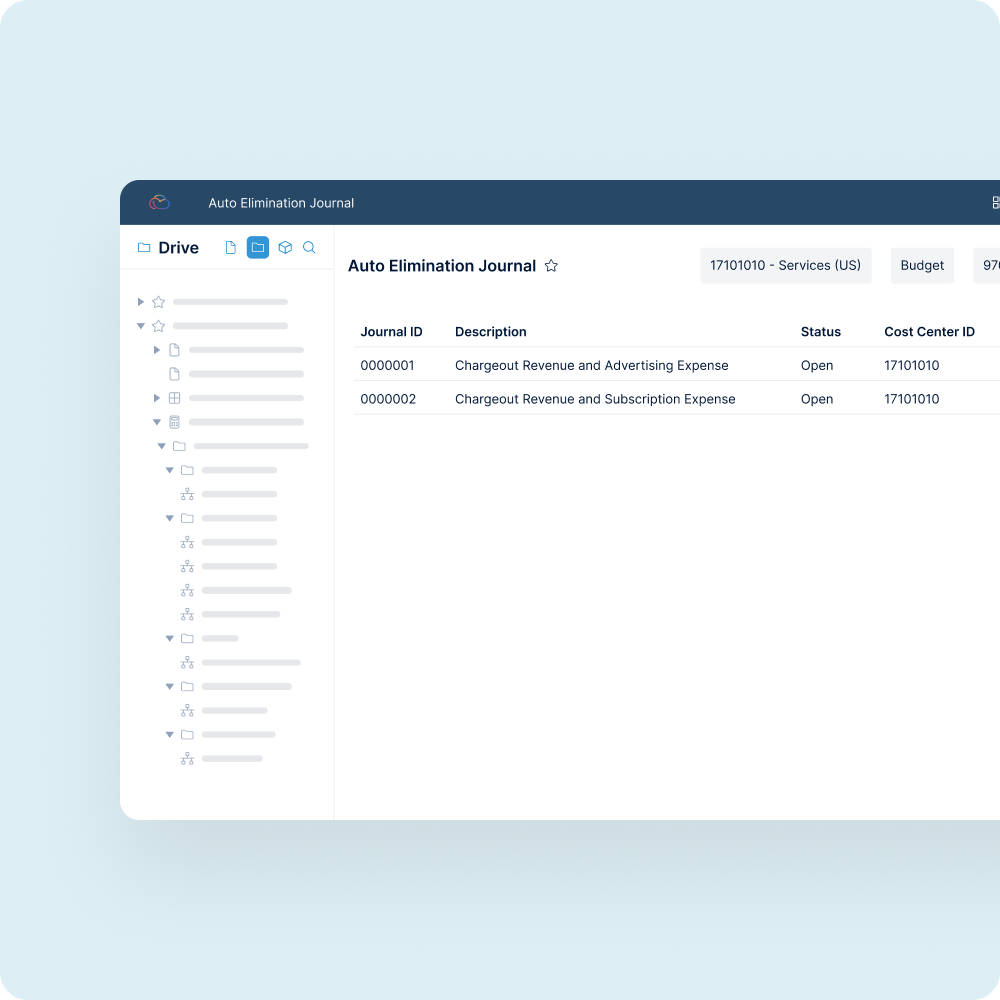
Custom Reports Made Easy with JustPerform
Creating reports can be a frustrating, time-consuming process, especially when you’re stuck relying on technical teams or digging through scattered data sources for answers. JustPerform removes these barriers with its intuitive drag-and-drop customization, putting you in control. Build tailored reports in minutes using pre-built templates and gain real-time insights from a single source of truth. Whether in Excel or within JustPerform, empower your team to uncover actionable insights faster, collaborate securely, and focus on critical decisions without technical headaches.
Get Instant DemoTime saved in data transformation
Reduction in financial close cycles
Faster return on investment

Can Excel Alone Ensure Accurate Financial Consolidation?
Struggling to keep financial consolidation accurate and efficient with spreadsheets alone? Learn why relying solely on Excel can lead to errors, inefficiencies, and compliance risks, and discover how pairing it with modern software can streamline the process.

Frequently Asked Questions
Transforming spreadsheet-based processes involves enhancing traditional spreadsheets with advanced features like automated validations, collaboration tools, and data processing capabilities. This ensures spreadsheets can handle more complex and enterprise-level tasks efficiently.
You can use systems that incorporate smart validations to ensure data is complete and accurate at every step. This reduces manual errors and helps maintain the integrity of your data.
Built-in collaboration tools and guided workflows allow team members to work together seamlessly within a spreadsheet environment. These features help streamline communication and keep all updates and changes in one place.
Automation tools can replace the need for complex formulas, macros, or scripting. Features such as rule libraries and pre-defined automation settings simplify data processing and make it accessible, even for non-technical users.
Implement granular authorization options, allowing access only to the necessary data for specific users. This safeguards sensitive information and ensures that individuals can only view or modify what’s relevant to their roles.
Yes, pre-built templates designed for tasks like data entry, reporting, and dashboards can save time and improve consistency. Many tools also enable the easy customization of these templates for specific needs.
Advanced solutions can integrate easily into the tools you already use, providing access across devices like smartphones, tablets, and desktops. This ensures you can work efficiently from anywhere, without limitations.
Optimizing spreadsheet processes helps overcome common limitations like manual errors, lack of collaboration, and inefficient workflows. This transformation is often a critical step toward achieving broader digital transformation goals.
Enhanced workflows offer improved accuracy, greater efficiency through automation, stronger data security, and streamlined collaboration, ultimately saving time and resources for teams and organizations.
Any individual or team that relies on spreadsheets for data analysis, reporting, or collaboration can see significant gains in productivity and accuracy by modernizing how spreadsheets are utilized.